
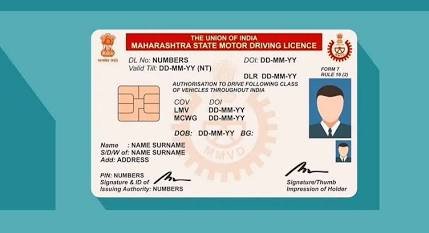
Gone are the days of standing in endless Regional Transport Office (RTO) queues or paying hefty broker fees. The Ministry of Road Transport and Highways has digitized the entire process through the Sarathi Parivahan portal, allowing you to renew your driving license (DL) from the comfort of your home.
Whether you are based in Rajasthan, Maharashtra, Delhi, or anywhere else in India, the online renewal process is now streamlined, transparent, and easily accessible.
When to Renew Your License
An Indian driving license is generally valid for 20 years from the date of issue or until the holder turns 40 years old—whichever comes first.
- The Renewal Window: You can apply for renewal up to one year before your license expires.
- The Grace Period: You have a 30-day grace period after the expiry date to renew without penalties. If you delay beyond 30 days, late fees will apply, and your license will technically be invalid for driving until renewed.
Required Documents Checklist
Before starting the online application, ensure you have scanned copies (JPEG or PDF format, usually under 500KB) of the following:
- Your original, expiring Driving License.
- Form 2: The official application for DL Renewal (automatically generated online during the process).
- Form 1: Self-declaration of physical fitness.
- Form 1A (Medical Certificate): Mandatory only if you are over 40 years old or hold a commercial/transport license. This must be signed by a registered medical practitioner.
- A recent passport-sized photograph and a clear photo of your signature.
- Address Proof: (Aadhaar, Voter ID, Passport, etc.) only necessary if you are also changing the address printed on your license.
The Online Renewal Process
Here is exactly how to navigate the government portal to renew your license:
- Visit the Sarathi Parivahan Portal: Navigate to
sarathi.parivahan.gov.inand select your current state from the dropdown menu. This will redirect you to your state’s specific digital portal. - Start the Renewal Application: Click on the “Apply for DL Renewal” button. Read the list of instructions provided on the screen and click “Continue”.
- Enter Your Details: Input your current Driving License number, your Date of Birth, and the CAPTCHA code. Click “Get DL Details” to verify your identity and pull up your records.
- Update Information & Upload Documents: Confirm your personal details and select the services you require (e.g., Renewal of DL, Change of Address). Upload your scanned documents, including your photograph, signature, and the required Form 1 or Form 1A.
- Pay the Renewal Fee: Proceed to the payment gateway. Pay the required government fees (via UPI, Net Banking, or Debit/Credit Card) and save the acknowledgment receipt generated after successful payment.
- Book an RTO Appointment (If Required): In many states, the renewal process is fully “faceless,” meaning your new smart card will simply be dispatched via post. However, some states or specific age brackets (like 40+) require you to book a time slot to visit your local RTO for a quick biometric capture and original document verification.
Standard Fee Structure
While fees can vary slightly depending on your state’s specific RTO charges, the national standard generally follows this structure:
- Standard DL Renewal: ₹200
- Smart Card Printing Fee: ₹200
- Change of Address (Optional): ₹200
- Late Penalty: ₹300 (Plus ₹1,000 for every year delayed beyond the grace period)
Once your application is approved, your new smart card driving license will be printed and dispatched to your registered address via Speed Post, which typically takes 15 to 30 working days. You can track the real-time status of your application directly on the Sarathi Parivahan website using your application number.